Digital Accessibility: Why an Inclusive Website is Good for Business
Accesibilidad digital: Por qué un sitio web inclusivo es bueno para los negocios
When most small business owners hear the term "web accessibility" or "WCAG compliance," they often think of complex legal requirements or expensive technical overhauls. In reality, digital accessibility is much simpler: it’s about ensuring that as many people as possible can use your website, regardless of how they navigate the internet.
Think of it like the physical entrance to your shop or office. If you have a heavy door or a steep step, you might unintentionally turn away customers using strollers, crutches, or wheelchairs. Digital barriers do the same thing online. By making small, practical adjustments, you aren't just "checking a box"—you are opening your virtual doors to a wider audience.
The Business Benefits of Accessibility
Accessibility isn't just a moral or legal consideration; it's a smart business move. When a website is built with accessibility in mind, it tends to be cleaner, faster, and easier for everyone to use. For example, high-contrast text is easier for someone with a visual impairment to read, but it’s also much easier for a customer trying to read your menu on a smartphone in bright sunlight.
Furthermore, search engines like Google reward accessible websites. Features that help screen readers understand your content—like clear headings and descriptive image text—also help search engine bots index your site more accurately. An accessible site is often a high-performing site that ranks better in local searches.
Practical Steps for Your Website This Week
You don't need a complete redesign to start improving your site's accessibility. Focus on these high-impact areas that improve the experience for all users:
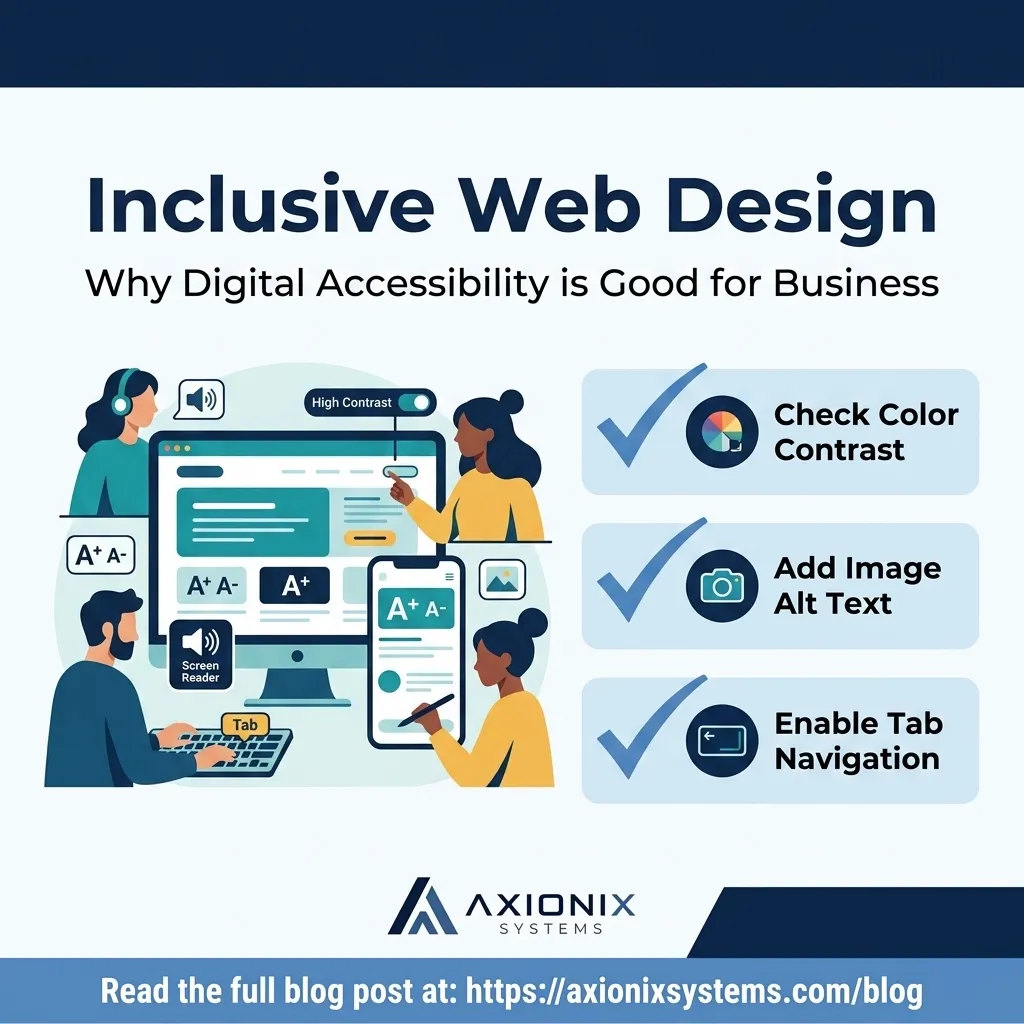
Check Your Contrast: Ensure your text stands out clearly against the background. Grey text on a light grey background might look "modern," but it’s difficult for many users to read.
Add "Alt Text" to Images: Every meaningful image on your site should have a brief description in the "Alt" field. This allows screen readers to describe the image to someone who cannot see it.
Use Clear Headings: Organize your pages with H1, H2, and H3 tags in a logical order. This creates a roadmap for both human readers and automated tools.
Make Links Descriptive: Avoid using "Click Here" as your link text. Instead, use "View Our Pricing Guide" or "Contact Our Support Team." This tells the user exactly where the link goes.
Test Keyboard Navigation: Try navigating your own website using only the "Tab" key. Can you reach all the buttons and forms? If not, a customer who can't use a mouse won't be able to buy from you.
Accessibility is an ongoing journey, not a one-time project. As your business grows and your website evolves, keeping these simple principles in mind ensures you never accidentally lock a potential customer out of your business.
At Axionix Systems, we build accessibility into the foundation of every MyNextWebsite project. If you're concerned your current site is creating friction for your customers, we can provide a straightforward IronPulse diagnostic to identify and fix the most critical gaps.
Cuando la mayoría de los propietarios de pequeñas empresas escuchan el término "accesibilidad web" o "cumplimiento de las WCAG", a menudo piensan en requisitos legales complejos o costosas reformas técnicas. En realidad, la accesibilidad digital es mucho más sencilla: se trata de garantizar que la mayor cantidad de personas posible pueda utilizar su sitio web, independientemente de cómo naveguen por Internet.
Piense en ello como la entrada física a su tienda u oficina. Si tiene una puerta pesada o un escalón alto, podría estar rechazando sin querer a clientes que usan cochecitos, muletas o sillas de ruedas. Las barreras digitales hacen lo mismo en línea. Al realizar pequeños ajustes prácticos, no solo está cumpliendo con una norma, sino que está abriendo sus puertas virtuales a una audiencia más amplia.
Los beneficios comerciales de la accesibilidad
La accesibilidad no es solo una consideración moral o legal; es una decisión comercial inteligente. Cuando un sitio web se construye pensando en la accesibilidad, tiende a ser más limpio, rápido y fácil de usar para todos. Por ejemplo, el texto de alto contraste es más fácil de leer para alguien con discapacidad visual, pero también es mucho más fácil para un cliente que intenta leer su menú en un teléfono inteligente bajo la luz directa del sol.
Además, los motores de búsqueda como Google recompensan los sitios web accesibles. Las funciones que ayudan a los lectores de pantalla a entender su contenido, como encabezados claros y texto descriptivo en las imágenes, también ayudan a los robots de los motores de búsqueda a indexar su sitio con mayor precisión.
Pasos prácticos para su sitio web esta semana
No necesita un rediseño completo para comenzar a mejorar la accesibilidad de su sitio. Concéntrese en estas áreas de alto impacto:
Verifique el contraste: Asegúrese de que el texto destaque claramente sobre el fondo. El texto gris sobre fondo gris claro puede parecer "moderno", pero es difícil de leer para muchos usuarios.
Añada "texto alternativo" a las imágenes: Cada imagen importante debe tener una descripción breve en el campo "Alt". Esto permite que los lectores de pantalla describan la imagen a quien no puede verla.
Use encabezados claros: Organice sus páginas con etiquetas H1, H2 y H3 en un orden lógico. Esto crea una guía tanto para los lectores humanos como para las herramientas automáticas.
Haga que los enlaces sean descriptivos: Evite usar "Haga clic aquí". En su lugar, use "Ver nuestra guía de precios". Esto le dice al usuario exactamente a dónde va el enlace.
Pruebe la navegación con teclado: Intente navegar por su sitio usando solo la tecla "Tab". ¿Puede llegar a todos los botones? Si no, un cliente que no use ratón no podrá comprarle.
La accesibilidad es un proceso continuo. A medida que su negocio crece, mantener estos principios garantiza que nunca deje fuera accidentalmente a un cliente potencial.
En Axionix Systems, integramos la accesibilidad en la base de cada proyecto de MyNextWebsite. Si le preocupa que su sitio actual esté causando fricción a sus clientes, podemos realizar un diagnóstico IronPulse para identificar y corregir los problemas más críticos.