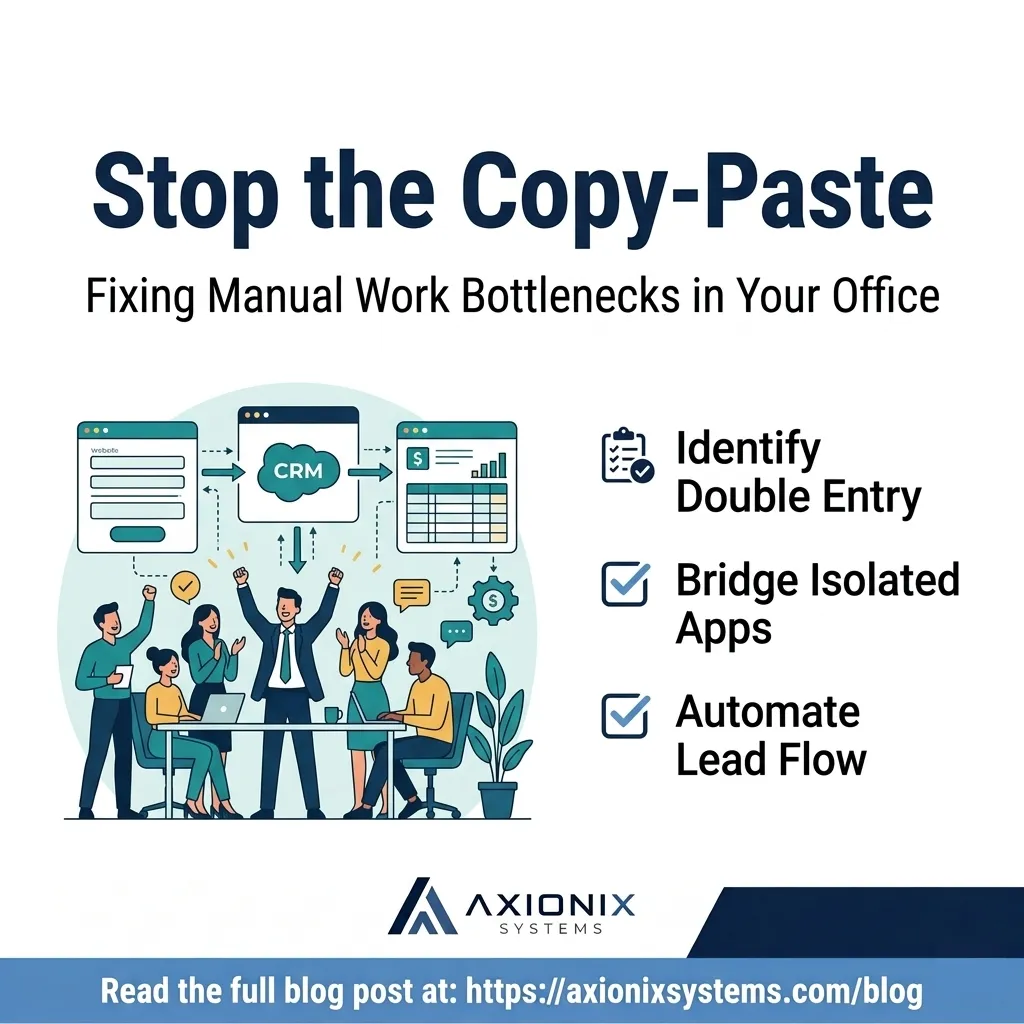
Stop the Copy-Paste: How to Spot and Fix Manual Work Bottlenecks
Basta de copiar y pegar: Cómo detectar y corregir cuellos de botella manuales
Practical automationAutomatización práctica
In many small businesses, there is a hidden tax on productivity that doesn’t show up on a balance sheet. It’s the "copy-paste tax." It happens every time an office manager takes a name from a website contact form and manually types it into an Excel sheet, or when a business owner has to manually create an invoice in QuickBooks because their scheduling app doesn't talk to their accounting software.
At Axionix, we call these "friction points." Individually, they take five minutes. Collectively, they drain hours of high-value time every week and introduce the risk of human error. Automation isn't just for giant tech companies; it is a practical tool for any business that wants to grow without adding unnecessary administrative overhead.
Finding the "Friction Points" in Your Office
The first step toward a more efficient operation isn't buying new software; it's observing how your current team spends their day. You are looking for tasks that are repetitive, predictable, and frequent. If a staff member has two windows open and is looking at one to type data into the other, you have found a prime candidate for automation.
Common friction points we see include moving leads from a website to a CRM, sending "thank you" emails after a purchase, or updating inventory levels across multiple platforms. These aren't just "tech problems"—they are operational leaks that slow down your response time to customers.
Moving from Manual to Managed
Modern web tools are designed to talk to each other, but they often need a "bridge." This is where practical automation comes in. You might use a tool like Zapier or Make to connect your apps, or you might need a custom integration built directly into your website to handle specific business logic.
The goal isn't to replace your staff with robots. The goal is to free your staff to do the work that requires human judgment, empathy, and creativity, while the boring "data moving" happens securely in the background.
The Hidden Catch: Data Validation and Edge Cases
When businesses start automating workflows on their own, the most common point of failure isn't the connection itself—it's unpredictable data. A lead leaves a phone field blank, a customer types an invalid email, or a phone number gets formatted differently across apps. If an automation isn't built to handle these edge cases, it either fails quietly or creates duplicate, messy records in your CRM.
Reliable automation requires strict data validation at the entry point (like your website forms) and fallback alerts when anomalies occur. Additionally, keep credential security in mind: when connecting third-party tools, never share your master admin login. Use dedicated app connections or service accounts with restricted permissions so each integration only accesses what it strictly needs.
Your Automation Audit Checklist
This week, take an hour to review your team's workflow and look for these five opportunities to save time:
Identify "Double Entry": List every instance where the same information (customer names, addresses, or dollar amounts) is typed into two different systems.
Track Lead Response: Check if your website forms automatically land in your inbox AND your tracking system, or if someone has to manually move them.
Review File Sorting: Look for manual processes where files (like PDFs or receipts) are moved from email to cloud storage folders.
Audit Status Updates: Identify if you are manually emailing clients to let them know a project or order status has changed.
Document the Workflow: Write down the 5 steps of your most frequent administrative task; if the steps never change, the task is ready to be automated.
Remember the golden rule of automation: start small. Don't try to overhaul your entire office overnight. Pick one high-frequency, predictable friction point first, test it thoroughly, and build momentum from there. When your systems handle the routine work, your business doesn't freeze just because one key person is out sick or on vacation.
Struggling with messy manual workflows or tools that won't talk to each other? Axionix Systems specializes in identifying these gaps and building the "bridges" that keep your operations running smoothly. Reach out today for a practical systems review.
En muchas pequeñas empresas, existe un impuesto oculto a la productividad que no aparece en el balance general. Es el "impuesto de copiar y pegar". Ocurre cada vez que un gerente de oficina toma un nombre de un formulario de contacto del sitio web y lo escribe manualmente en una hoja de Excel, o cuando el dueño de un negocio tiene que crear manualmente una factura en su sistema contable porque su aplicación de citas no se comunica con su software de contabilidad.
En Axionix, llamamos a esto "puntos de fricción". Individualmente, toman cinco minutos. Colectivamente, consumen horas de tiempo valioso cada semana e introducen el riesgo de errores humanos. La automatización no es solo para las grandes empresas tecnológicas; es una herramienta práctica para cualquier negocio que desee crecer sin añadir una carga administrativa innecesaria.
Encontrando los "Puntos de Fricción" en su Oficina
El primer paso hacia una operación más eficiente no es comprar software nuevo; es observar cómo su equipo actual pasa el día. Usted busca tareas que sean repetitivas, predecibles y frecuentes. Si un miembro del personal tiene dos ventanas abiertas y está mirando una para escribir datos en la otra, ha encontrado un candidato ideal para la automatización.
Los puntos de fricción comunes que vemos incluyen el traslado de clientes potenciales desde un sitio web a un CRM, el envío de correos electrónicos de "agradecimiento" después de una compra o la actualización de los niveles de inventario en múltiples plataformas. Estos no son solo "problemas técnicos", son fugas operativas que retrasan su tiempo de respuesta a los clientes.
De lo Manual a lo Gestionado
Las herramientas web modernas están diseñadas para hablar entre sí, pero a menudo necesitan un "puente". Aquí es donde entra la automatización práctica. Podría usar una herramienta como Zapier o Make para conectar sus aplicaciones, o podría necesitar una integración personalizada integrada directamente en su sitio web para manejar una lógica de negocio específica.
El objetivo no es reemplazar a su personal con robots. El objetivo es liberar a su personal para que realice el trabajo que requiere juicio humano, empatía y creatividad, mientras que el aburrido "movimiento de datos" ocurre de forma segura en segundo plano.
El detalle oculto: Validación de datos y manejo de excepciones
Cuando las empresas comienzan a automatizar flujos de trabajo por su cuenta, el punto de falla más común no es la conexión en sí, sino los datos impredecibles. Un cliente potencial deja en blanco un campo obligatorio, ingresa un correo electrónico no válido o un número de teléfono se asigna con formatos diferentes según la aplicación. Si una automatización no está diseñada para manejar estos casos especiales, falla silenciosamente o crea registros duplicados y desordenados en su CRM.
La automatización confiable requiere una validación estricta de datos en el punto de entrada (como los formularios de su sitio web) y alertas de respaldo cuando ocurren anomalías. Además, mantenga la seguridad de sus credenciales: al conectar herramientas de terceros, nunca comparta su cuenta de administrador principal. Use conexiones de aplicaciones dedicadas o cuentas de servicio con permisos restringidos para que cada integración solo acceda a lo que estrictamente necesita.
Lista de Verificación para su Auditoría de Automatización
Esta semana, tómese una hora para revisar el flujo de trabajo de su equipo y busque estas cinco oportunidades para ahorrar tiempo:
Identifique la "Doble Entrada": Enumere cada instancia donde la misma información (nombres de clientes, direcciones o montos) se escribe en dos sistemas diferentes.
Rastree la Respuesta a Clientes: Verifique si los formularios de su sitio web llegan automáticamente a su bandeja de entrada Y a su sistema de seguimiento, o si alguien tiene que moverlos manualmente.
Revise la Clasificación de Archivos: Busque procesos manuales donde los archivos (como PDF o recibos) se mueven del correo electrónico a carpetas de almacenamiento en la nube.
Audite las Actualizaciones de Estado: Identifique si envía correos electrónicos manualmente a los clientes para informarles que el estado de un proyecto o pedido ha cambiado.
Documente el Flujo de Trabajo: Escriba los 5 pasos de su tarea administrativa más frecuente; si los pasos nunca cambian, la tarea está lista para ser automatizada.
Recuerde la regla de oro de la automatización: comience poco a poco. No intente transformar toda su oficina de la noche a la mañana. Elija primero un único punto de fricción predecible y de alto volumen, pruébelo a fondo y construya impulso desde allí. Cuando sus sistemas se encargan del trabajo rutinario, su negocio no se detiene solo porque una persona clave está enferma o de vacaciones.
¿Tiene dificultades con flujos de trabajo manuales desordenados o herramientas que no se comunican entre sí? Axionix Systems se especializa en identificar estas brechas y construir los "puentes" que mantienen sus operaciones funcionando sin problemas. Contáctenos hoy para una revisión práctica de sus sistemas.